- Stubbuilder
- Jul 13, 2026
How to Get Your Home Depot Pay Stub Online? (MyTHDHR Portal Guide)
If you’ve ever found yourself in the break room struggling to recall your store number just to view your earnings, you aren’t the only one. Each pay cycle, many associates look for the quickest method to access their Home Depot pay stub without needing to contact HR or wait for a paper copy in the mail. Fortunately, Home Depot paystub provides a highly efficient system for this; once you understand the navigation, retrieving your payroll details usually takes under five minutes.
If you ever need to organize your payroll records outside your employer portal, a pay stub generator can help create a professional earnings statement for personal record-keeping, income verification, or document management when appropriate.
In this comprehensive manual, we examine all facets of retrieving your MyTHDHR pay stub. We start with the standard authentication steps and extend to guidance for former associates who require their historical documentation. Additionally, we detail the W-2 acquisition procedure, troubleshoot frequent sign-in difficulties, and explain the practical role of a Home Depot paystub download in managing your personal finances.
What is Home Depot?
Established in 1978, Home Depot has grown into the largest home improvement retailer in the United States. The company serves homeowners, professional contractors, and DIY enthusiasts by offering a wide range of products through its retail stores and online platform. Its inventory includes building materials, tools, hardware, appliances, garden supplies, and home décor. In addition to product sales, Home Depot provides installation, repair, and renovation services for projects such as flooring, roofing, kitchens, and bathrooms.
What is a Home Depot Pay Stub?
A Home Depot pay stub is a document provided to Home Depot employees that details their earnings and deductions for a specific pay period. It typically includes information such as gross pay, hours worked, overtime pay, bonuses, taxes withheld, benefits deductions, retirement contributions, and net pay. Employees can use their pay stubs to verify payroll accuracy, track income, prepare tax returns, apply for loans, or provide proof of employment and earnings. Home Depot associates can usually access their pay stubs electronically through Home Depot’s employee self-service and payroll portals.
How to get Home Depot paycheck online?
To get your Home Depot Paycheck online, follow these steps:
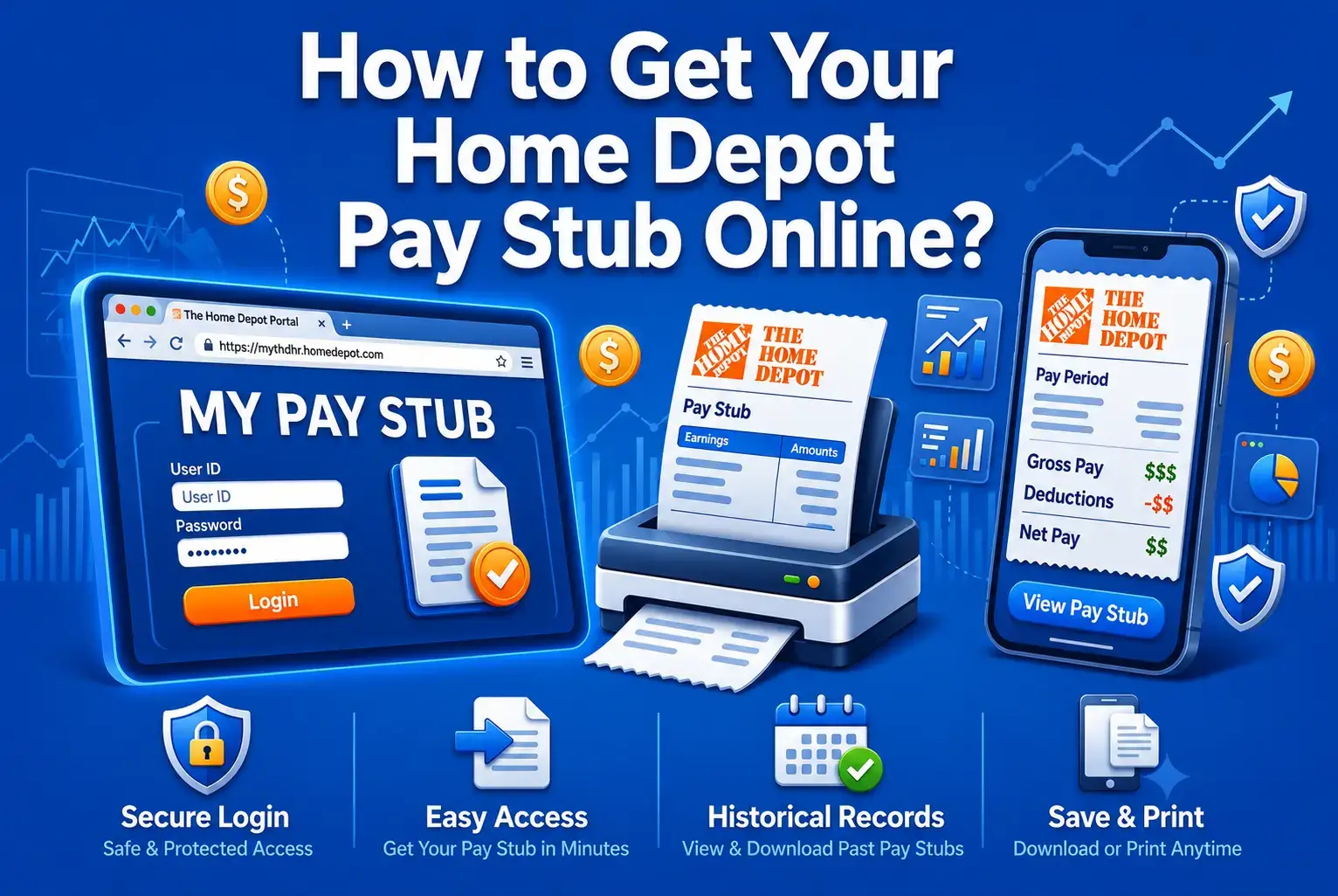
1) To view your pay details remotely, current employees can log in to the Home Depot associate portal via MyTHDHR or Workday using their standard company credentials.
2) Sign in to your Employee ID and Password.
3) After logging in, navigate to: Payroll.
4) Select the pay period you want to view.
5) Download your paycheck stubs as PDF for income verification or personal records.
What Is MyTHDHR and Why Does It Matter for Your Pay Stub?
MyTHDHR is the official Home Depot employee portal pay stub hub, and it’s the central place where Home Depot associates manage almost everything related to their employment, not just pay. Think of it as the digital filing cabinet that replaced the old paper pay envelope. Through this single sign-on system, you can check your schedule, review benefits enrollment, update your tax withholding, and most importantly, pull up your Home Depot paycheck online whenever you need it.
At the heart of Home Depot’s HR stack is the portal, which has been greatly changed. For current associates, the main channel for daily pay stub access has become Workday, which connects with the overall MyTHDHR platform. This matters because if you got to know the system a long time ago and haven’t used it in a while, the user interface and some navigation steps might seem a bit different than what you recall.
Step-by-Step: How to Access Your Home Depot Pay Stub as a Current Employee?
Step 1: Visit the official portal:
To begin, launch your web browser and go to MyTHDHR.com. Alternatively, if you are logging in via the Workday system, you can use the THD authentication gateway to sign in with your single sign-on credentials.
Step 2: Select Current Associates:
The homepage provides distinct navigation routes for different employment statuses, including active staff, those on leave, and former workers. As an active member of the team, you should select the path designated for current associates.
Step 3: Log in with your credentials:
Provide your store number along with your unique user ID and password. Associates utilizing the Workday platform should sign in via single sign-on using their THD LDAP credentials instead.
Step 4: Navigate to the Pay and Taxes section:
After successfully logging in, locate the Pay and Taxes menu. For those using the Workday interface, select View All Apps, followed by Pay, and then Payslips to access your complete history of digital pay records.
Step 5: Select the Pay Period you need:
You’ll see a list of pay periods, typically organized by date. Click on the one you want to review.
Step 6: View or save your pay stubs:
From here, you can view your Home Depot associate pay stub directly in the browser and download it as a PDF for your records.
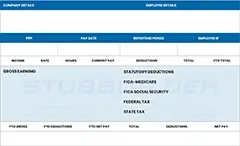
Before creating a new pay stub for record-keeping purposes, many people prefer reviewing a free paystub template to understand how earnings, taxes, deductions, and other payroll details are typically organized. It provides a useful preview of the layout and information included in a standard pay stub.
Accessing Pay Stubs as a Former Home Depot Employee
Upon departing from a company, login credentials often expire quickly, preventing you from accessing the standard employee dashboard. To address this, Home Depot provides a specific, alternative procedure. Navigating the Home Depot former employee pay stub retrieval process correctly can help you avoid unnecessary complications when trying to access your past payroll records.
Step 1: Visit the former associates’ login page:
To access the system, former staff should navigate to the MyTHDHR landing page and choose the option labeled Former Associates and Associates on LOA. This directs you to the inactive associate verification portal, which is specifically designed for those who no longer use the standard active employee login credentials.
Step 2: Verify your identity:
Because your active password is no longer valid, you must verify your identity through personal identifiers. In most cases, this requires providing your surname, birth date, and the final four to six digits of your Social Insurance or Social Security Number, based on your specific region.
Step 3: Complete the security field:
You’ll be prompted to enter a security word shown on screen, which is a basic anti-bot verification step.
Step 4: Submit for security validation:
Click to continue the security verification process.
Step 5: Follow the on-screen process:
The platform will walk you through the remaining verification procedures necessary to unlock your past pay records and tax documents.
Step 6: Access your Pay Stubs:
After completing the verification process, you will be directed to a portal that functions much like the one used by current staff, enabling you to access and save your past pay stubs.
How to Get Your Home Depot W-2 Form Online?
If you are a current employee, your W-2 document is still kept in the Pay and Taxes area of the portal, plus your pay stubs. When you use Workday, first go to Benefits and Pay Hub, then to My Tax Documents, and after that select the tax year in question if you want to see or get the form.
The procedure for former staff members also utilizes the inactive associate verification portal. By validating your identity with your surname, date of birth, and partial Social Security Number, you can retrieve a full history of W-2 forms associated with your time at the company, extending beyond the current tax year.
Home Depot generally distributes W-2 forms in a digital format by the final week of January, following standard IRS timelines. While electronic access is standard, employees who have not specifically opted out of traditional mail may also find a paper copy delivered to their registered home address.
For those who have departed the company and changed residences, the most efficient way to ensure your tax documents reach you is to update your contact information via the dedicated portal for former associates or by reaching out to the HR department.
Why a Reliable Pay Stub Matters Beyond Just Checking Your Earnings?
We tend to think of a pay stub as just a formality, something you barely notice and then forget. But your Home Depot paystub download can actually act as a useful tool in several unexpected situations.
For instance, landlords and property management companies nearly always ask for a copy of your recent pay stubs as evidence of your income before they will sign off on your rental application. Banks are similar when they are offering vehicle loans, personal loans, or mortgage pre-approvals. If you need to apply for welfare programs, some of them will require a formal document of earnings, and at that moment, a printed or downloaded pay stub is usually the easiest way to meet that need.
Also, your pay stub serves as your strongest weapon against being wrongly paid by your employer. By examining it regularly, you will pinpoint discrepancies like incorrect times, unpaid overtime, wrong tax deductions, or benefit deductions that are different from what you actually picked. Finding these at the beginning, rather than a few months later at tax time, makes fixing them much simpler.
The importance of keeping access to historical pay stubs is mainly true for ex-employees who want to ensure that their tax filing is correct, Most of all if they have changed jobs during the year and are trying to combine total earnings from different employers.
Key Takeaways
Obtaining your Home Depot pay stub is a straightforward process once you identify the correct portal for your current employment status. Active associates can quickly retrieve their information through MyTHDHR and Workday. For former employees, there is a specific identity verification protocol to follow. Should any issues arise, Home Depot’s HR Service Center remains available for assistance.
FAQs
1) How do I get my pay stubs from Home Depot?
Employees can retrieve their earnings statements remotely by visiting the Home Depot associate portal through a standard web browser or by utilizing the company’s mobile application.
2) Who is Home Depot’s payroll provider?
Workday serves as the primary platform for The Home Depot’s payroll and human resources administration. To provide comprehensive financial solutions, the company also collaborates with Money Network for payroll card management and incorporates PayActiv, enabling staff to access earned income ahead of their scheduled paydays.
3) Does Home Depot use ADP for payroll?
Yes, The Home Depot utilizes ADP for its payroll, tax services, and W-2 document distribution.
4) How to view Home Depot pay stubs?
Active Home Depot employees can view and print pay stubs by logging into Employee Self Service (via myTHDHR) or the Workday app.
5) What is the 7-minute rule at Home Depot?
The 7-minute rule at Home Depot generally describes the company’s attendance grace period. Under this policy, hourly workers are permitted to clock in as many as 7 minutes early or late relative to their shift’s start time. Doing so does not result in an attendance penalty or a late mark.
6) Does Home Depot offer PayActive?
Through a partnership with Payactiv, Home Depot provides an early wage access benefit. This program enables qualified employees to withdraw a segment of their accrued, yet unpaid, earnings ahead of the scheduled pay date.
7) What happens if you go over 75 minutes at Home Depot?
Exceeding the 75-minute limit for a Home Depot Load ’N Go truck rental results in an overage charge. Generally, this fee is $5.50 for each 15-minute increment, though some regions may set the rate closer to $5.00. These charges will accumulate until the total reaches the store’s daily maximum rental cap.
8) Does Home Depot pay out sick time when you quit after?
Generally, Home Depot does not provide compensation for accrued sick leave upon resignation. However, an exception is made if the labor regulations in your specific state or municipality mandate such a payout.
9) What payroll provider does Home Depot use?
The Home Depot manages its primary human resources and payroll operations through the Workday platform. To provide associates with flexible financial options, the retailer also collaborates with PayActiv for early wage access and Money Network for payroll card administration.
10) Can I leave 15 minutes early at Home Depot?
According to The Home Depot’s Standard Operating Procedure (SOP), associates are technically allowed to clock out as many as 14 or 15 minutes before their shift ends without triggering a formal attendance occurrence; however, this provision is not granted automatically.