- Stubbuilder
- Jun 17, 2026
How to Access Walmart Paycheck Online: A Complete Guide to OneWalmart
Maybe it’s your first time trying to get your Walmart pay stub, or you’ve forgotten how to do it. Don’t worry, many associates every pay period are looking for easy instructions on how to log in, find their salary statements, and get a hard copy for their files. Here is a step-by-step guide for current associates. It tells what former employees have to do in a different way, and in simple words, it also gives the answers to the most frequently asked questions about the OneWalmart pay stub system.
Walmart hires more than 1.6 million associates in the United States, and almost all of these employees use digital tools rather than paper pay stubs to keep a record of their earnings. This blog shows how to get your OneWalmart pay stub step-by-step, work around common login errors, and save records if you are still working or have already separated from the company. If you ever need to create professional proof of income or payroll records, a check stub generator can help you generate accurate pay stubs quickly and easily.
What is OneWalmart?
OneWalmart is Walmart’s official employee self-service portal. It allows employees to access work-related information and manage various HR tasks online. Employees can use OneWalmart to:
- View and download pay stubs
- Check work schedules
- Access W-2 tax forms
- Request paid time off (PTO)
- Review benefits and insurance information
- Update personal information
Portal is now available on OneWalmart and requires a Walmart employee ID and login credentials to access.
OneWalmart is not only a payroll system. Associates can use the same login to access scheduling, their associate discount card, health and wellness benefits, 401(k) details, and company news. But really, the Walmart employee portal pay stub section is where most people come when they are looking for help, mainly during tax season or when they need to show proof of income for credit, housing, or financial assistance.
How to access Walmart Paycheck Online (Step-by-Step Guide)
Below is how you can access your Walmart paycheck online:
Step 1: Visit the official OneWalmart Portal
Open your web browser and go to the official site. The legitimate Walmart.com Pay Stub Login page is actually the only site where you should enter your personal information. Besides, you should stay away from other sites that may say things like find your pay stub because these sites may not be affiliated with Walmart and could compromise your personal data.
Step 2: Login with your WIN Number
Your Walmart pay stub access is completely based on this one credential. WIN is an abbreviation for Walmart Identification Number, which is like your username for almost all internal Walmart systems, like time clocks, scheduling tools, and the payroll portal. On the Walmart paycheck login page, enter your WIN number and password. As a brand-new associate, you usually have to wait until the first pay period has been processed before the system allows you to register an account. If you have any difficulties, HR or your People Lead can guide you through the initial setup.
Step 3: Navigate to the Pay Stub Section
Once in the portal, click on the main menu icon, then navigate to Me, My Money Paystub, or just find a Pay or Payroll tab given your portal’s version. This is where Walmart keeps all your payment documents.
Step 4: Select your Pay Period and Download
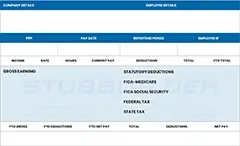
The pay stubs are organized by date. Just scroll down to locate the one corresponding to your pay period. Tap on the pay stub to get the comprehensive details, including your earnings, taxes, and deductions, then select the download option to keep a PDF version. This is the main process for downloading Walmart associate pay stubs, and it will hardly take a minute after you are logged in.
Walmart Paystub for Former Employees
Retrieving a Walmart pay stub for past employees operates differently from the way it does for current associates, and knowing the difference is really a good thing before the time when you might get no access.
Once you leave Walmart by quitting, being fired, or retiring, you likely will have your access to some systems limited, and in time, it will be turned off. Though your OneWalmart account will typically stay active for some time after you have left the company, so that you will be able to get your tax forms and Walmart pay stub former employee information. Below is what you should do:
1) Try existing credentials: Your WIN number and password from your active employment period may still work for a limited time after you leave.
2) Use the OneWalmart login page: Former employees should use the same one.walmart.com portal rather than searching for unofficial replacements.
3) Contact Walmart payroll: First, check that you are entering the correct credentials. If you still can not log in, please check if your account shows as disabled. If this is the case, you will have to contact Walmart’s payroll department directly or call the associate support line to ask for help in recovering your pay records.
4) Visit your Former store: In some cases, the personnel office at your last work location can help verify your identity and direct you to the right resource for old pay stubs or tax forms.
Lastly, a point to consider is that ex-employees quite regularly get their portal access disabled abruptly and without prior notice. So, if you happen to have access right now and know that you might require some pay stubs from the past, the best thing would be to get the digital versions (PDFs) straight away and save them. Do not simply rely on the idea that you could come back and get them at a later time.
How to get your Walmart W2 Form Online?
Walmart has to send out its W-2 forms by January 31 every year, and usually the electronic versions are accessible via OneWalmart around the middle of January, well before the paper copies are mailed. Your W-2 can be reached below:
- Log in to OneWalmart using your WIN number and password.
- Navigate to My Money – W2 Management – Find my W2.
- View and download your W-2 form directly from the portal.
If you have left Walmart and your OneWalmart login is not functioning anymore, Walmart is providing W-2s through MyTaxForm.com with Walmart’s employer code 10108. To find out who you are on that website, you have to enter your Social Security number and date of birth. If nothing else works, you can always ask for a Wage and Income Transcript from the IRS; it contains the same wage and withholding information as your W-2.
Walmart W2 Form Online: What You Need to Know?
If you were a Walmart employee at any time during the tax year, the company will send you a W-2 Form indicating your total income and the taxes deducted from your pay. It is usual for Walmart to release W-2 forms online by the last day of January and hand out paper ones to the employees who qualify.
Present Walmart workers typically have a way of getting to their W-2 through the legit OneWalmart Portal by going to the Tax Center or W-2 area after signing in with their work accounts. Those who are not working for Walmart anymore might still be able to get their W-2 via OneWalmart by using Walmart’s employer code 10108 and performing an identity check.
To go paperless and download your W-2 online, you might have to prepare your Walmart Identification Number (WIN), SSN, DOB, and other details for account verification. If you find the login difficult, you may always seek the help of Walmart’s HR or payroll support. Normally, companies, including Walmart, have to provide their employees with W-2 forms by the 31st of January annually.
Best Practices for Walmart Associate Pay Stub Download
Follow these best practices while downloading your Walmart pay stub:
1) Download every pay period instead of waiting until year-end. This ensures you always have a backup copy.
2) Save files in PDF format whenever possible to preserve formatting and prevent accidental changes.
3) Use a secure device and internet connection when accessing payroll information to protect sensitive data.
4) Verify paycheck details such as hours worked, overtime, deductions, benefits, and taxes before saving.
5) Keep both digital copies of important pay stubs needed for loans, rentals, or tax filings.
6) Download pay records before leaving Walmart if possible, as access methods may change after employment ends. Former associates may need to use the alumni or Money Network pay stub portal.
7) Review downloaded documents immediately to ensure the correct pay period was saved and the file opened properly.
Troubleshooting Tips for One.Walmart.com Pay Stub Login
Try these common tips if you’re having trouble accessing your Walmart Pay Stub:
1) Double-check your login credentials and ensure you’re using the correct Walmart User ID/WIN and password.
2) Use the correct location and store information when signing in. Incorrect settings can trigger authentication errors.
3) Check if the OneWalmart portal is experiencing temporary issues. Occasionally, pay stub pages may be unavailable due to maintenance or server problems.
4) New associates should allow time for account activation. It can take several days before all payroll and account features become available.
5) Former employees should use the appropriate pay stub portal rather than OneWalmart, as access requirements differ after employment ends.
6) If you’re locked out or receive repeated authentication errors, contact Walmart support or your store’s HR/People Lead for assistance with account recovery.
Key Takeaways
The first step to checking your pay details is to figure out where the information is housed. If you are an active associate and want to see your pay for this week, or maybe a former employee who needs an old W-2, the usual way is to go to and work through the official OneWalmart platform. Have your WIN number ready, sign up for two-step verification while you still have access to the store, and get into the habit of downloading PDF versions of your main pay documents. Doing that now may save you from having to phone payroll later.
FAQs
1) How do I get my pay stub from Walmart?
Get your Walmart paystub instantly by logging into the OneWalmart Portal (via the Me tab, then My Money) to view, save, or print your earnings as a PDF.
2) How to get past pay stubs from Walmart?
- Log in to the OneWalmart portal from home.
- Search for Pay Stub in the search bar.
- View and download your past pay statements.
- You can also use the OneWalmart app on your mobile device.
3) What if I can’t access my Walmart paystub?
Walmart offers you many ways if you face a problem with opening a pay stub. Reset Login Credentials: At the login page, use the Forgot Password option to recover your account. If you require more help, contact Walmart’s IT support or your HR department for help.
4) What is a Walmart paystub?
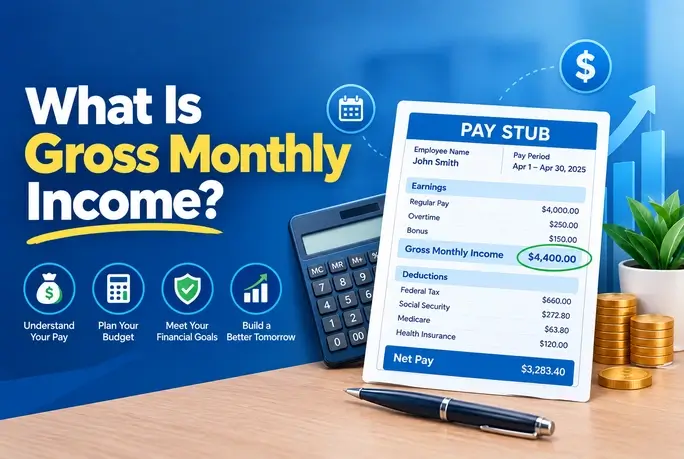
A Walmart pay stub is basically your pay statement reflecting your income and the different amounts deducted by the company, in most cases for a particular duration. It includes all the necessary details that a person wants to know: total earnings, take-home pay, taxes, and other deductions. Also, with the help of Walmart’s online channels, you get instant access to your pay stubs.
5) How do I get paystubs from Walmart if I don’t work there anymore?
The last paycheck company may mail you the pay stub and, with it, your final paycheck. Though they do not, you can always visit the OneWalmart portal and log in. Next, you will probably be able to locate the option to Print Termination Paystub and click on it. If, for any reason, you cannot access the portal again, get in touch with your payroll department.
6) How do I access OneWalmart?
To access your OneWalmart account (previously WalmartOne), go to the OneWalmart Login Portal. Hit the Sign In button, type in your Walmart Identification Number (WIN) with your password, and if you are logging in while off the clock, you will have to do the 2-step verification process.
7) What is the 9-minute rule at Walmart?
To access your OneWalmart account (formerly WalmartOne), go to the OneWalmart Login Portal. Click the Sign In button, type in your Walmart Identification Number (WIN) with your password, and if you log in while off the clock, you’ll need to do a two-step verification system.
8) Can I get my Walmart paystub online?
Current and former Walmart employees are able to view their pay stubs through the me@Walmart app or the OneWalmart portal. Besides, former associates and people who want to use an outside system can go to the official Money Network Pay Stub Portal.
9) Will Walmart rehire you after termination?
Yes, you can reapply to Walmart if you were fired, but your eligibility depends heavily on the reason for your termination and how much time has passed.
10) What is a code bracket at Walmart?
At Walmart, a Code Black is an intercom emergency announcement signaling that a dangerous storm, such as a tornado or heavy rain, is making its way to the store. It is a call for both employees and customers to stop what they are doing and to find the nearest shelter.