- Stubbuilder
- Jan 28, 2026
How to Get DoorDash Pay Stubs?
DoorDash drivers manage finances and monitors earnings which is a vital part of the job. One of the most important tool for tracking is a pay stub that outlines your pay, deductions and net pay. Getting your DoorDash Pay Stubs is an important step in an employee’s routine life. You can use free check stub maker to generate free check stubs for your business.
This guide focuses on DoorDash employees on getting their pay stubs from doordash through its employee portal.
What is DoorDash?
Doordash is a delivery website which find local stores for customers so that they can buy food and other important things. It runs through website and mobile application with the help of independent contractors known as Dashers for deliveries.
What is DoorDash Pay Stub?
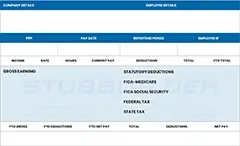
DoorDash check stubs are records that accompanies your pay. It is a breakdown of your earnings and deductions during a specific pay period. Check stubs include:
- Gross earnings: Total earnings before deductions.
- Taxes withheld: Federal, state and local taxes deducted from your earnings.
- Net Pay: Final amount that you receive after all deductions have been deducted.
Why you Might Need Doordash Pay Stubs?
You might need DoorDash Check Stubs due to the following reasons:
- Tax Filing: As a independent contractor, Dashers are solely responsible for paying their own taxes. A check stub helps you in calculating income and deductions accurately.
- Rental Application: Many landlords require proof of income.
- Budgeting: Monitoring your earnings and expenses which helps you in managing your finances effectively.
- Dispute Resolution: If there’s an error in your pay, a pay stub will provide proof to resolve discrepancies.
How to get DoorDash Pay Stubs as a Current Employee?
Being an current employee DoorDash Paycheck Stubs accessibility is easier. Here’s how:
Step 1: Access DoorDash Earnings
- Open the DoorDash app on your mobile device.
- Click on Earnings section.
- Doordash provides weekly earnings summary. Choose the pay period for which you need check stub.
- Tap on View Details to see full breakdown of earnings, including tips and promotions.
Step 2: Download Your Earnings
- Visit DoorDash website and log in with its credentials.
- Click on Earnings tab.
- Earnings are broken down by week. Choose the week that you want to download pay stub for.
- You will see a option of downloading your stub and from there you can download it in PDF format.
How to get DoorDash Pay Stub as a Former Employee?
DoorDash provides ways to former employees to obtain pay stubs from doordash. Below is how you can do it:
1- Access your DoorDash Account
- Visit the DoorDash employee portal.
- Try using the same email address and password you had earlier.
2- Download Weekly Statements
- Click on Earnings tab.
- Choose the week for which you need your pay stub.
- Click on Download Statements and your doordash paycheck stub will be automatically downloaded.
3- Contact DoorDash Support
If you cannot access your online portal, try contacting the DoorDash Support. You can contact:
- Email: Ask for your paystubs at: drive-support@doordash.com
- Phone Support: Contact them at: 855-431-0459
Tips for Organizing and Saving DoorDash Paycheck Stubs
- Save PDFs Regularly: Download and save your PDF.
- Create Folder by Year: Organize check stubs by year to easily simplify your tax filing.
- Monitor Earnings: You can deduct expenses like phone bills and vehicle maintenance.
- Check for Errors: Errors can occur. You can compare your check stubs with your bank deposits to ensure accuracy.
Key Takeaways
Obtaining DoorDash pay stubs on the other hand is not so difficult once you know where to look. Via the Dasher app, you can access your downloading earnings statements feature which will allow you to easily consult your pay details managing finances, tax preparation and offer proof of income.
Keeping your check stubs organized will save you from headache when it comes time to file taxes and any other financial need. Whether you’re a new Dasher or an experienced driver, these steps will help ensure that you increase your earnings and are in charge of maximizing your pay. You can also use a free paystub maker for creating stub for free.
FAQs
1- Does DoorDash provide check stubs?
DoorDash do not provide a standard pay stub for their employees. Instead you can access your DoorDash earnings which shows your income delivery.
2- Can I get proof of income from DoorDash?
To receive earnings from DoorDash you can file a support case. Make sure to include email address which is associated with your Dasher account.
3- How can I get my paycheck from DoorDash?
You can get them by direct deposit. Dashers can get paid on a weekly basis for all deliveries finished between Monday to Sunday.
4- Does DoorDash send you a W-2?
Being a DoorDasher you will only be receiving Form 1099 and not a W-2 form.
5- What if I made less than $600 with DoorDash?
If you made less than $600 with DoorDash during a year, you won’t receive a tax report, as one not reported.